Know who is going, where and when.
Plan work periods, choose the Team Lead and review availability. Confirm and publish instructions when they are ready.
Software for wind turbine blade teams
BladeKore
Bring inspections, repairs and the people behind them into one connected workflow. From the first field record to the final review, handover and billing.
See the workflows that matter to your team.
A conversation first. A pilot when it makes sense.
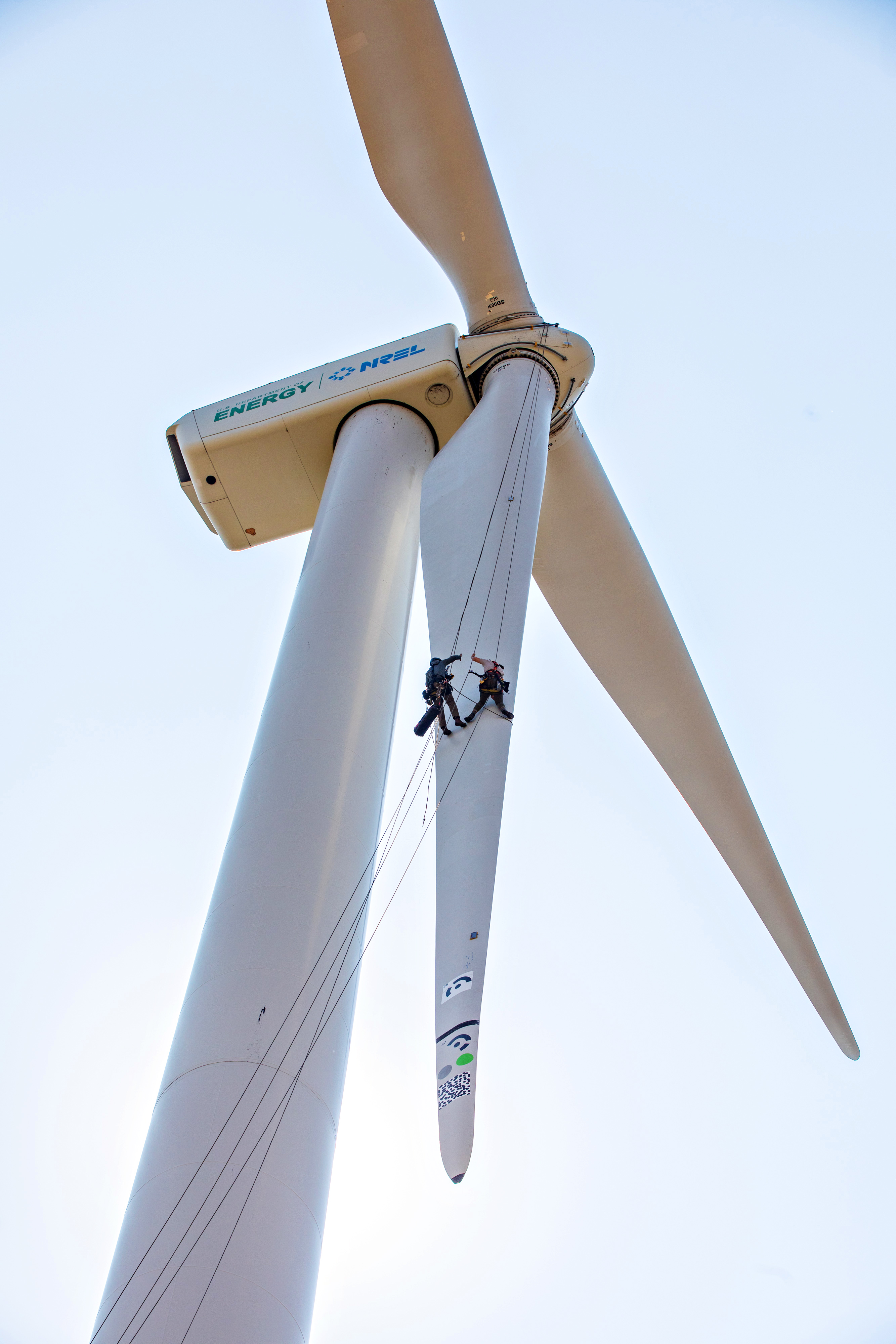
A familiar problem
A crew in a spreadsheet. Evidence on a phone. Approvals in an inbox. BladeKore brings the context together, so the next person can act without starting again.
Crews, dates, travel and accommodation are updated across spreadsheets and messages.
Mobilisation risk stays hidden.
Technicians record work in the field. The office rebuilds the same story in reports and folders.
More admin after the repair.
Corrections, engineering decisions and sign-off become separated from the evidence.
Handover waits for clarity.
Missing DPRs, approvals or rates leave Finance chasing records before billing.
Approved work waits to be invoiced.
The complete picture
From mobilisation to client handover, keep the people, work and evidence connected.
People, plans and materials, ready.
Scope, costs and client pricing before mobilisation.
Technician profiles, certificates, training and competency records.
Crews, availability, logistics and published plans. Gantt, calendar and capacity together.
Materials, tools and transfers across warehouses and vans.
Work and evidence, captured together.
Configured checks before work, with submissions available for review.
Inspections, repair steps, measurements and photos, linked to the blade.
Daily progress, hours, downtime, expenses and vehicle checks.
A clear next action, owner and status for the team.
Decisions, delivery and billing, traceable.
Work instructions, technical decisions, NCRs and lessons learned.
Trace corrections and approvals. Deliver reports with their evidence.
Approved DPRs, technician rates and invoices, with source records linked.
See how these tools fit your team's workflow.
Explore BladeKore with usInside BladeKore
From the crew plan to the approved record. Explore the workspaces that keep your team moving.
See it with your workflowPlan work periods, choose the Team Lead and review availability. Confirm and publish instructions when they are ready.
Technicians see their published instructions, dates and logistics. Confirming a crew does not publish instructions or grant project access automatically.
Record the work, photos and materials in the relevant repair step. The office can review the record without rebuilding it from separate messages.
Review evidence, request corrections and retain sign-off history. Approval remains a deliberate action by an authorised reviewer.
Finance reviews approved daily progress records, rates and the invoice period separately. Report approval does not automatically create an invoice.
The field experience
From the first instruction to the final sign-off. Your plan, materials and repair evidence, right where the work happens.
Explore offline workingBefore the job
A personal, read-only agenda for where to go, when to arrive and who to contact. Only confirmed instructions that Operations has published.
Focus on what matters
Keep urgent work visible, with the project and blade alongside it. Open the task with the context you need.
Before you start
Find stock by product, category or storage box. See the material, check the quantity and record what is used.
Before the mix
Select a configured formula and enter the base weight or final mix needed. See the grams for each component, without repeating the calculation by hand.
Illustrative formula. Always follow approved product instructions.
Explore the field toolsAt the blade
Record the repair while the work is visible. Keep the step, photograph and measurements together for a clearer review.
While the work is visible
Capture the overview and the detail against the damage record, so the reviewer knows what they are looking at.
Review in context
Review the repair step and record the QA decision with a comment. Keep the sign-off with the work it relates to.
At the end of the shift
Bring the people, hours and work carried out into the daily progress record. Operations reviews the submission before it becomes approved work.
Offline field capture
Capture it at the blade.
Bring it back to the team.
Open the work you need while online.
Supported mobile forms keep data and photos locally while you are offline.
Sync your saved work when you reconnect and reopen the app.
BladeKore mobile
The job in your pocket.
The detail stays with the team.
Available for Android and Apple / iOS.
Technician handover
Pass on the work done, the next action and the notes that matter. A named recipient, with the task scope still attached.
The thread that connects the work
When a repair needs technical review, the next person needs the evidence and the decision, not another search through messages.
Technician
Record the damage, repair steps, measurements and photographs.
Engineering
Follow technical tasks, instructions and non-conformances in the project.
QA/QC
Request corrections and retain the approval history before release.
Client handover
Release approved reports as PDF with the supporting evidence in ZIP.
Daily progress → Operations approval → Billing review.
Report approval does not create an invoice. Finance reviews approved DPRs, rates and the invoice period separately.Start with real work
No need to change everything at once. Begin with one project, a small team and a clear idea of what a better working day should look like.
A focused demo around your reports, reviews and daily coordination.
Agree the pilot scope, set up your team and follow a job from field entry to review.
Review what worked, what needs adjusting and whether to roll out further.
A conversation first. A pilot when it makes sense.
Adjust the assumptions to see where reporting time and invoicing delay may be tying up capacity. BladeKore does not store this data.
Scenario estimate only, not a guarantee. Validate the assumptions during a live project pilot using your own workflow.
Enter valid values within the field limits to update the estimate.
Start with field reporting and shared tasks. Choose Professional to plan crews and connect field operations, review and billing.
Planner included in Professional. Custom Enterprise adds Tender / RFQ and Warehouse & Inventory Management.
Include technicians and office users.
See the monthly total for each plan and check the Starter user limit. Custom Enterprise is agreed separately.
Field reporting
Inspections, repairs and quality reviews for a small crew.
Up to 6 users · 2 active projects
Your core field tools
More people. More projects.
Keep reporting and shared tasks organised across your teams.
Unlimited users. No additional per-user fees.
Everything in Starter, plus:
Crew planning and field operations. Connected.
Plan your crews, share their instructions and connect fieldwork, review and billing.
Unlimited users. No additional per-user fees.
Essentials features, plus:
Tenders, inventory & tailored rollout
Add tender preparation, inventory and an implementation scope agreed with your team.
Unlimited users · Unlimited projects
Everything in Professional, plus:
Included in every plan: Audit logs, archived projects, guided onboarding, and repair calculators.
Resin and hardener mixing-ratio calculatorGlass-fibre weight estimator — area, fibre type, grammage, and layers
Discuss your setup with us.
A smaller team or a seasonal workforce? Talk to us about the scope and terms that fit your operation.
Discuss your teamChoose Essentials for reporting and shared tasks. Professional adds crew planning, people, operations, engineering and billing. Custom Enterprise adds tenders, inventory and tailored rollout.
| Capability | Starter | Essentials | Professional | Custom Enterprise |
|---|---|---|---|---|
| Field reporting & quality | ||||
| Field reporting | ✓ | ✓ | ✓ | ✓ |
| QA/QC | ✓ | ✓ | ✓ | ✓ |
| Task management | — | ✓ | ✓ | ✓ |
| Engineering Control | NCR only | NCR only | ✓ | ✓ |
| People & operations | ||||
| People / competency management | — | — | ✓ | ✓ |
| Technician Prestart checks | — | — | ✓ | ✓ |
| Operations Control | — | — | ✓ | ✓ |
| Billing / Invoicing | — | — | ✓ | ✓ |
| Planning & logistics | ||||
| Planner | — | — | ✓ | ✓ |
| Tender / RFQ | — | — | — | ✓ |
| Warehouse & Inventory Management | — | — | — | ✓ |
| Repair calculators | ||||
| Resin / hardener calculator | ✓ | ✓ | ✓ | ✓ |
| Glass-fibre weight estimator | ✓ | ✓ | ✓ | ✓ |
Essentials and Professional include unlimited users and projects. Planner is included in Professional. Tender / RFQ and Warehouse & Inventory Management are available with Custom Enterprise.
A little clarity
From choosing a plan to your first project, here is what to expect.
Have a question about your operation?
Talk it through with usStarter has a small-team limit. Essentials includes unlimited users and projects.
Professional currently includes unlimited users and projects. For a smaller or seasonal team, discuss your requirements with us.
The calculator shows a monthly plan total. It does not change an existing contract or create a subscription.
Standard plans have a 12-month commitment. Prices are shown as a monthly equivalent so you can compare plans.
Your proposal confirms payment timing, applicable taxes and any implementation fees before you commit. Custom Enterprise scope and terms are agreed separately.
Yes. Start with a demo around your workflow, then discuss a pilot on one project with one crew.
We agree scope, price, duration, responsibilities and data handling before starting. Begin the demo with sample data; use your project data only when authorised and agreed.
Bring a sample report or handover requirement to the demo. We will review the structure, evidence and approval steps with you, then confirm the configuration and scope your team needs.
Yes. You can introduce BladeKore on one project while keeping spreadsheets for comparison. Agree which system is the source of truth for each workflow, then expand when the team is ready.
This does not mean spreadsheets are automatically synchronised with BladeKore.
Your data remains yours. Access is company-scoped and controlled by role. Authorised users can export supported reports and evidence; available exports depend on the record type and permissions.
We can review your data handling and handover requirements before you commit.
Security and data protectionTell us who you are. We will arrange a demo around the work you want to improve, from crew planning to reporting and billing.
If there is a fit, discuss one project and one team. Pilot scope, price, duration, responsibilities and data handling are agreed before starting.